The Client Portal
A dedicated, self-service web portal to manage everything.
Once your account is set up and credits are loaded, you manage everything yourself. Upload leads, trigger campaigns, review results, export data, and purchase credits — all from one dashboard.
Secure Login
Each client receives dedicated login credentials to their private portal. Your data is completely isolated from all other clients with role-protected authentication.
Dashboard at a Glance
Results Overview Cards
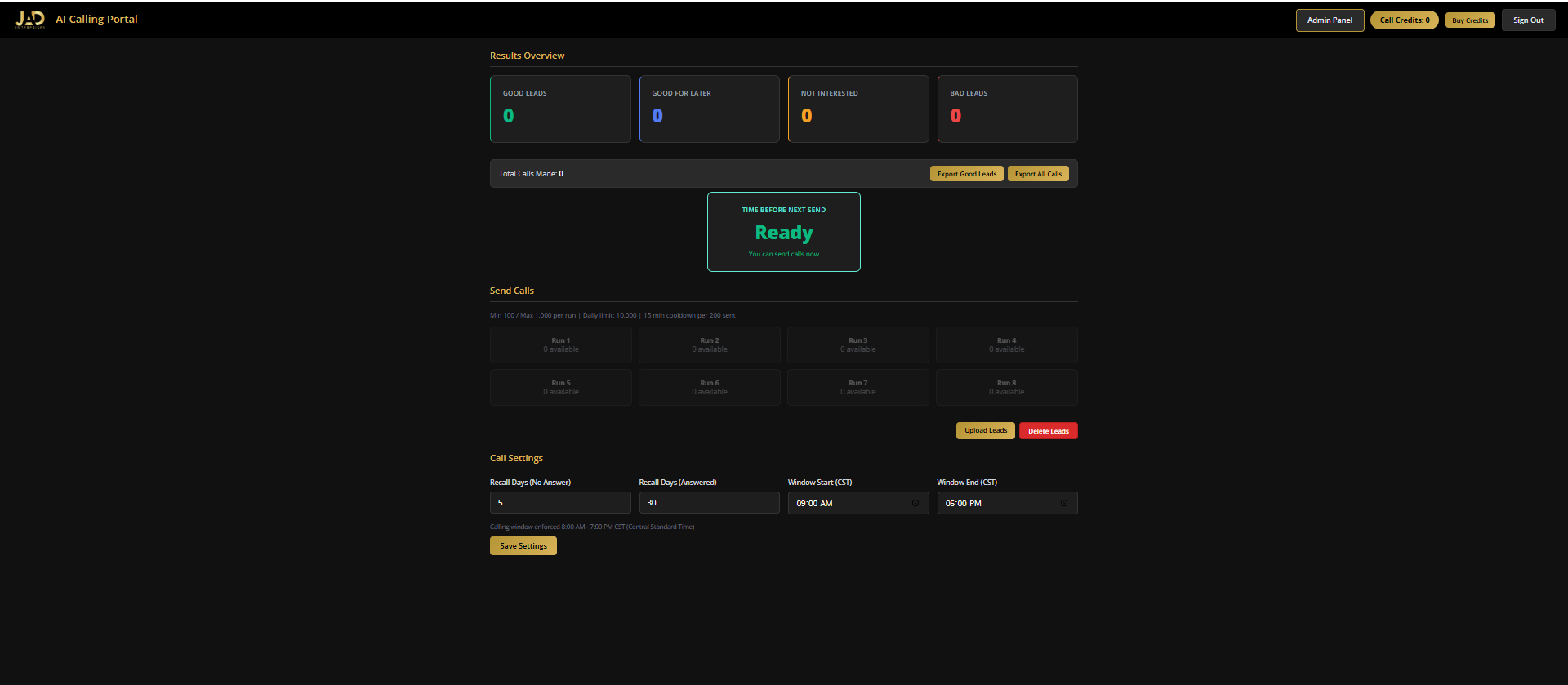
Good Leads (green), Good For Later (blue), Not Interested (orange), Bad Leads (red), Non Accredited (purple) — each with counts and click-through to details.
Credit Balance
Always visible, updates in real-time as calls are placed.
Run Grid
8 numbered buttons showing available leads per run, with send controls. You decide when calls go out and how many.
Upload & Delete Controls
Manage your lead lists directly from the portal. CSV and Excel supported.
Call Settings
Adjust recall timing and calling window hours to fit your campaign.
One-Click Exports
Export good leads or all results to Excel, emailed directly to you.
Upload Your Leads
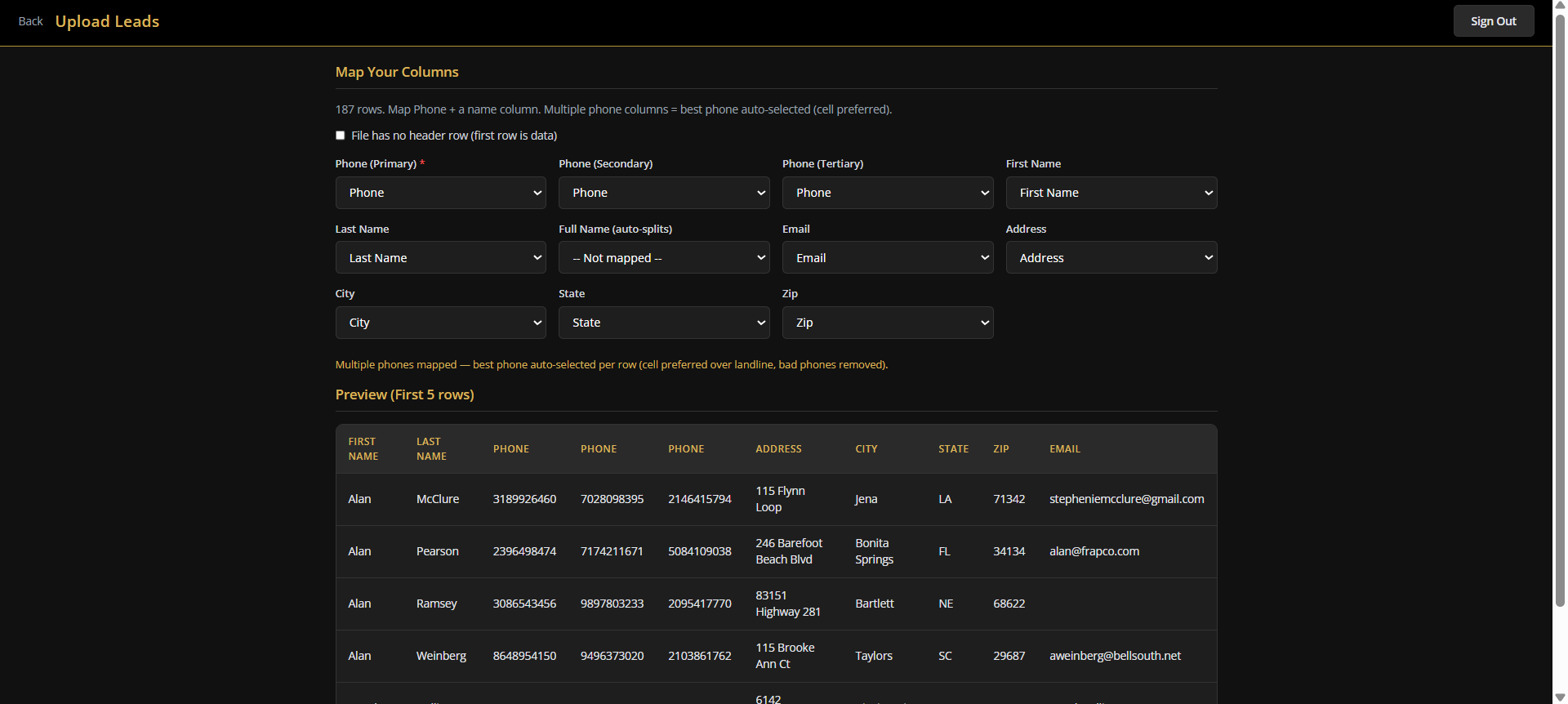
The system auto-detects your column headers from 170+ common variations. Map your phone, name, and optional fields — then preview before uploading.
Results Detail View
Click any results category to see a detailed table with:
Results are paginated (25 per page) with full navigation controls.
Google Sheet Integration
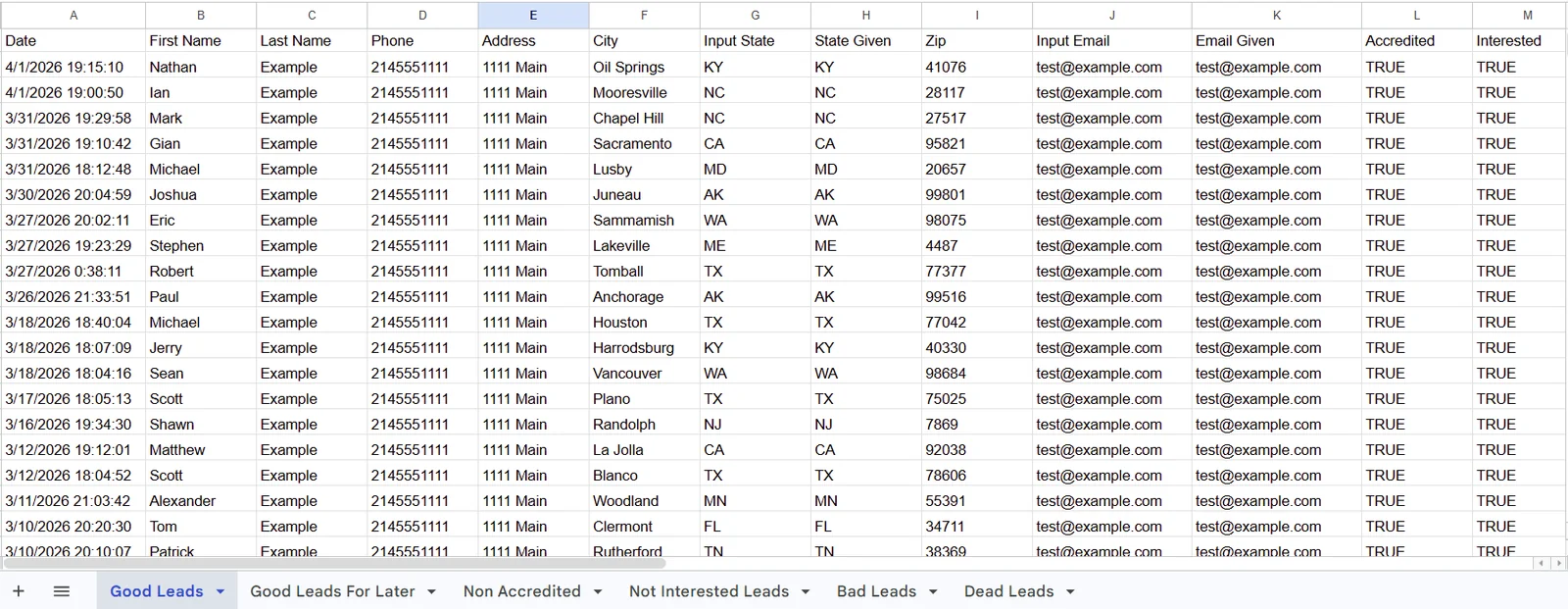
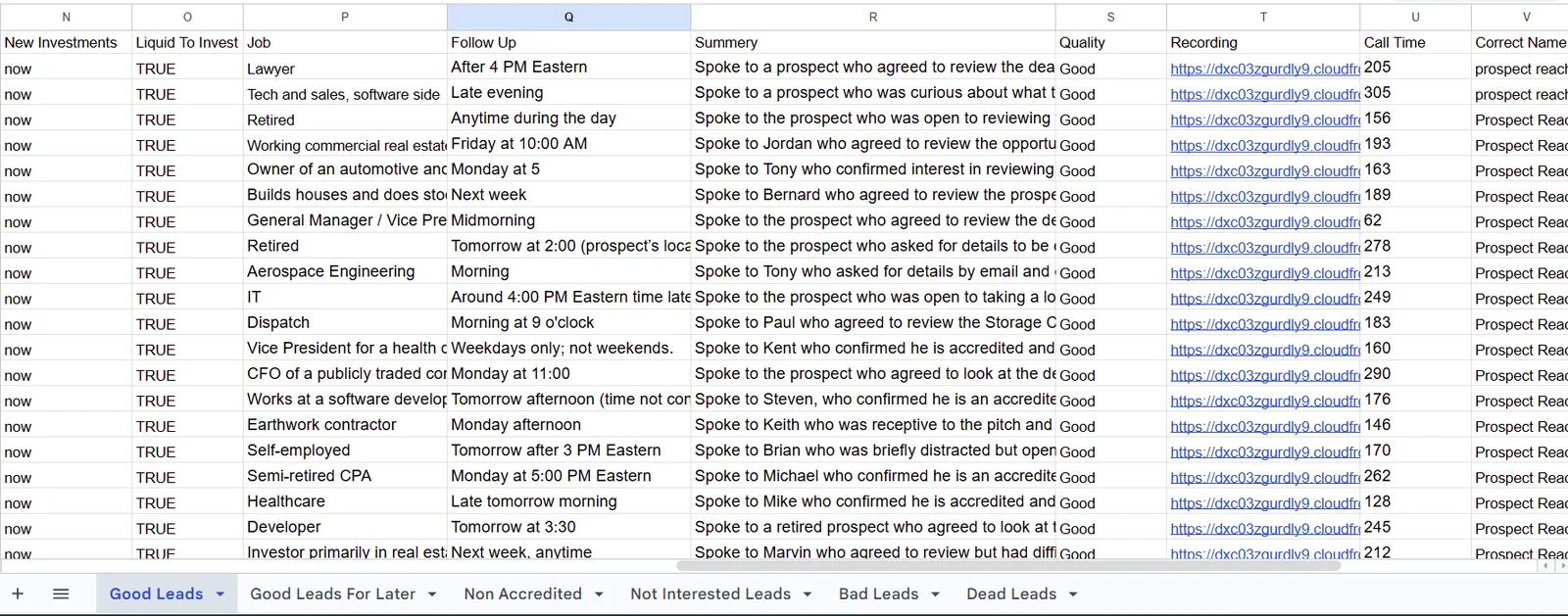
Every client receives a connected Google Sheet that updates in real-time. Separate tabs organize each classification: Good Leads, Good For Later, Not Interested, Bad Leads, Non Accredited, and Dead Leads. Many teams use this as their primary operating hub.
One-Click Excel Export
Export good leads or all results to Excel with a single click. Files include 20 columns of data and are emailed directly to you.
Ready to Qualify Your Investor Lists at Scale?
Get started in days, not months.
Your custom AI voice agent is built, tested, and ready to launch.